Work Timer
Work Timer measures time on an issue and records it through Redmine's standard Time Entry form. The timer column is hidden by default.
Use the timer
- Show the Work Timer column in column settings. This is a display column, not a Redmine query column.
- Start a timer on an issue where Redmine grants
log_time. - Choose a target of 5, 10, 15, 30, or 60 minutes.
- Optionally enable auto-stop. With it off, measurement continues after the target; with it on, measurement stops exactly at the target.
- Stop the timer to prepare a time entry, then record it through Redmine's standard time-entry form.
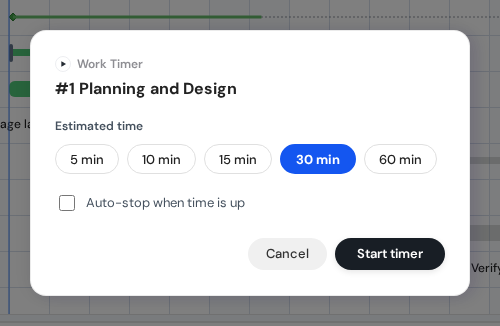
Work Timer start dialog. View full-size image
Recording and pending work
Record the time entry
Canceling the form or receiving a validation error keeps the pending timer. Timer state synchronizes across tabs. One running or pending timer is allowed for each Redmine instance and user.
Measured work is shown in seconds and as hh:mm. Recorded hours are calculated from timestamp segments and rounded to two decimal places. A very short session can therefore open the form with 0.00; Redmine validation remains authoritative.
If the submission result is unknown
While a timer-origin form is being edited or submitted, another tab cannot resume, extend, discard, or record that pending session. If the owning tab closes and leaves a reservation, another tab can explicitly recover it. A recovered submission-phase reservation remains unknown until Redmine is checked. If the save result cannot be confirmed, check Redmine's time entries before marking the session recorded or unregistered.