Introduction
What is Redmine Canvas Gantt?
Redmine Canvas Gantt lets you view and edit Redmine issues on a Gantt chart. Adjust schedules, manage dependencies, and review workload in one screen.
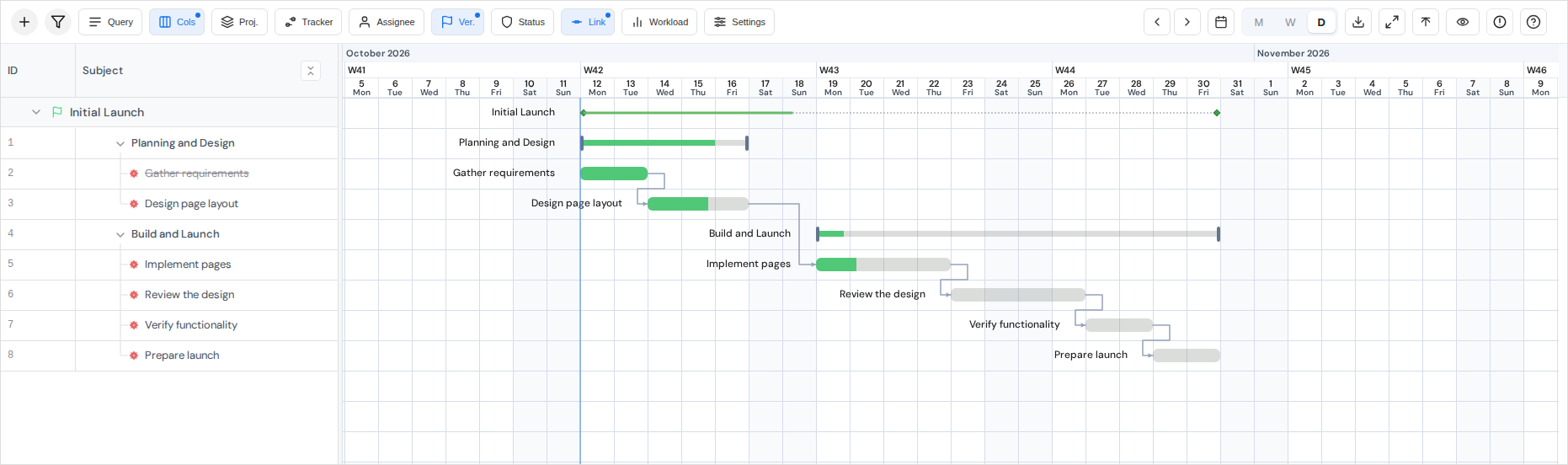
Main features
- Drag task bars to move or resize schedules; create dependencies from task endpoints
- Inline edits for assignee, status, progress, due date, custom fields, and other editable columns
- Change parent-child relationships in the sidebar and create multiple child issues at once
- Work with Redmine saved queries and supported issue-list filters
- Group by project or assignee; compare baselines; review workload
- Measure work with a timer; export PNG / CSV; save display preferences
Relationship to Redmine Gantt
Canvas Gantt uses Redmine's issues and permissions. Users need view_canvas_gantt to open the chart; Redmine's standard permissions on the target project control issue edits, creation, and deletion. See Permissions.
Tested environment
The plugin supports Redmine 6.0, 6.1, and 7.0. CI references Redmine 6.0.6, 6.1.2, and 7.0.0; that does not establish support for every patch release in those series. Use a Ruby version supported by the selected Redmine version.
Node.js is not required for normal operation. Node.js 20.19 or newer, or 22.12 or newer, is required to build the SPA from source or use frontend development tools. Enable Redmine's REST API.
Tested with desktop versions of Google Chrome and Microsoft Edge. Other browsers have not been tested.
Screen areas
The sidebar on the left lists issues and selected columns. The timeline on the right shows task bars and dependencies. Use the toolbar to adjust the visible range and zoom. See Basic operations for details.